
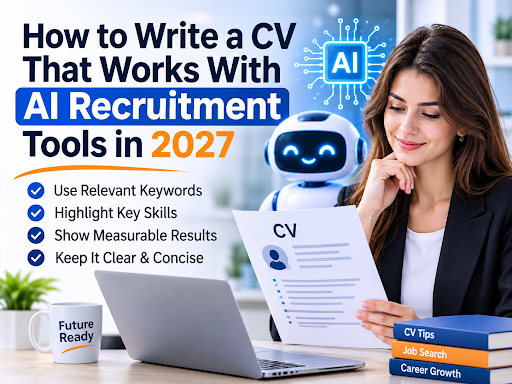
Artificial intelligence has become part of the hiring process for many employers. It may parse your CV, rank it against a job description, suggest shortlists or schedule interviews. This doesn’t mean a machine decides your fate, since most hiring still ends with human judgement, but it does mean your CV has to be readable by software before a person reads it.
This guide explains how these tools tend to work and how to write a CV that performs well with both.
How AI Recruitment Tools Read a CV
Most tools follow a similar sequence. First they extract text and sort it into fields, such as name, job titles, dates, skills and education. Then they compare that data with the requirements of a role, looking at keywords, experience, qualifications and sometimes related concepts. Finally, they rank or flag candidates for a recruiter.
Modern tools are better than older keyword matchers at recognising related terms, but they still depend on clean input. If the extraction step fails, everything after it suffers. That’s why structure matters first, content second, and clever tricks not at all.
Start With a Clean Structure
Use a single column and standard section headings. Put your contact details in the main body of the page, not in the header or footer, where some systems skip them. List jobs in reverse chronological order, with title, employer and dates in a consistent format.
Avoid text boxes, tables, graphics, icons and unusual fonts. Don’t put key information in images. If you are unsure, copy your CV into a plain text file and check that everything appears in a sensible order.
Use the Language of the Job Description
AI tools compare your CV with the employer’s requirements, so mirror the terminology of the advert where it is truthful. If a role asks for “stakeholder management” and you have done it, use those words rather than “dealing with people”. If a tool or qualification is named, include it.
Don’t rely on one form of a term only. Include both the full name and the common abbreviation where relevant, such as “Certified Information Systems Security Professional (CISSP)”. And don’t stuff keywords into a block of text. A list of fifty terms with no context looks suspicious to both software and people.
Show Evidence, Not Just Keywords
Passing the software is only half the task. A recruiter will read the CV next, and they want proof. Pair each skill with an example: where you used it, what you did and what changed. A line such as “Built monthly sales dashboards in Power BI, cutting reporting time by two days” does the work of a keyword and a story together.
If you have used AI tools in your own work, say so specifically, because employers increasingly value people who can use them well. Describe what you did with them and the result, rather than just listing tool names.
Mind Your File and Naming
Submit the format the employer asks for. If none is specified, a standard PDF or a Word document is usually safe, and both should contain real text rather than a scanned image. Name the file clearly, for example “Firstname-Lastname-CV”, so it is easy to find in a recruiter’s folder.
Choosing How to Build Your CV
Templates and builders can save time, but they vary in quality. If you use a builder, test the output. Many resume makers in Ireland and elsewhere offer attractive designs, yet the visual appeal doesn’t guarantee that the file parses properly. Export the CV, run the plain-text test, and keep the version that reads most cleanly.
Watch the Calendar
Applications often cluster around deadlines, so preparation matters. If you need support at short notice, the fastest resume service isn’t automatically the best one. Ask whether quick turnaround still includes a consultation and a revision round, because a rushed CV that misses your strongest achievements won’t help you.
Use AI to Draft, Not to Decide
Many candidates now use AI writing tools to draft or polish their CV. That can be useful for overcoming a blank page or tightening wording, but there are risks. Generic output sounds like everyone else’s, and invented details can cause trouble at interview or during background checks.
A sensible approach is to write the facts yourself, let a tool suggest alternative phrasing, then edit the result until it sounds like you. Check every date, figure and claim. If you wouldn’t be comfortable explaining a line in an interview, remove it.
Don’t Try to Trick the System
Some online advice suggests hiding keywords in white text or copying whole job descriptions into the file. These tactics are widely known, and modern systems and recruiters can often detect them. At best they waste space. At worst, they get an application rejected. Honest, clear writing is the safer and more effective strategy.
Align Your Online Profile
Recruiters and AI sourcing tools often search public profiles as well as applications. Make sure yours uses the same job titles, dates and key skills as your CV. If you need help writing linkedin profile sections such as the headline and summary, get someone who understands both keywords and tone, because a profile that reads like an advert puts off human readers.
A specialist linkedin profile writing company can handle the full rewrite, while a focused linkedin profile specialist can review what you have and suggest targeted improvements. Either way, update your CV and profile together so they never contradict each other.
A Quick AI-Ready CV Checklist
- Single-column layout with standard headings
- Contact details in the main body, not the header
- Keywords from the job advert used naturally
- Achievements with outcomes, not just duties
- Plain-text test passed
- Consistent dates, titles and spelling
- Profile and CV matching
Final Thoughts
AI recruitment tools reward the same qualities good recruiters always have: clarity, relevance and evidence. Build a clean structure, use the employer’s language honestly, prove your claims and keep your online presence consistent. Then, whatever software reads your application first, a person will have good reasons to read it next.